State
Navigation: Configuration > Network > DNS > State
The State tab displays the DNS configuration currently active on the device. It shows the nameserver addresses and domain search suffix that are in effect at the operating system level. Use this tab to verify which DNS servers the device is actually using for name resolution and to confirm that configuration changes from the DNS page have been applied correctly.
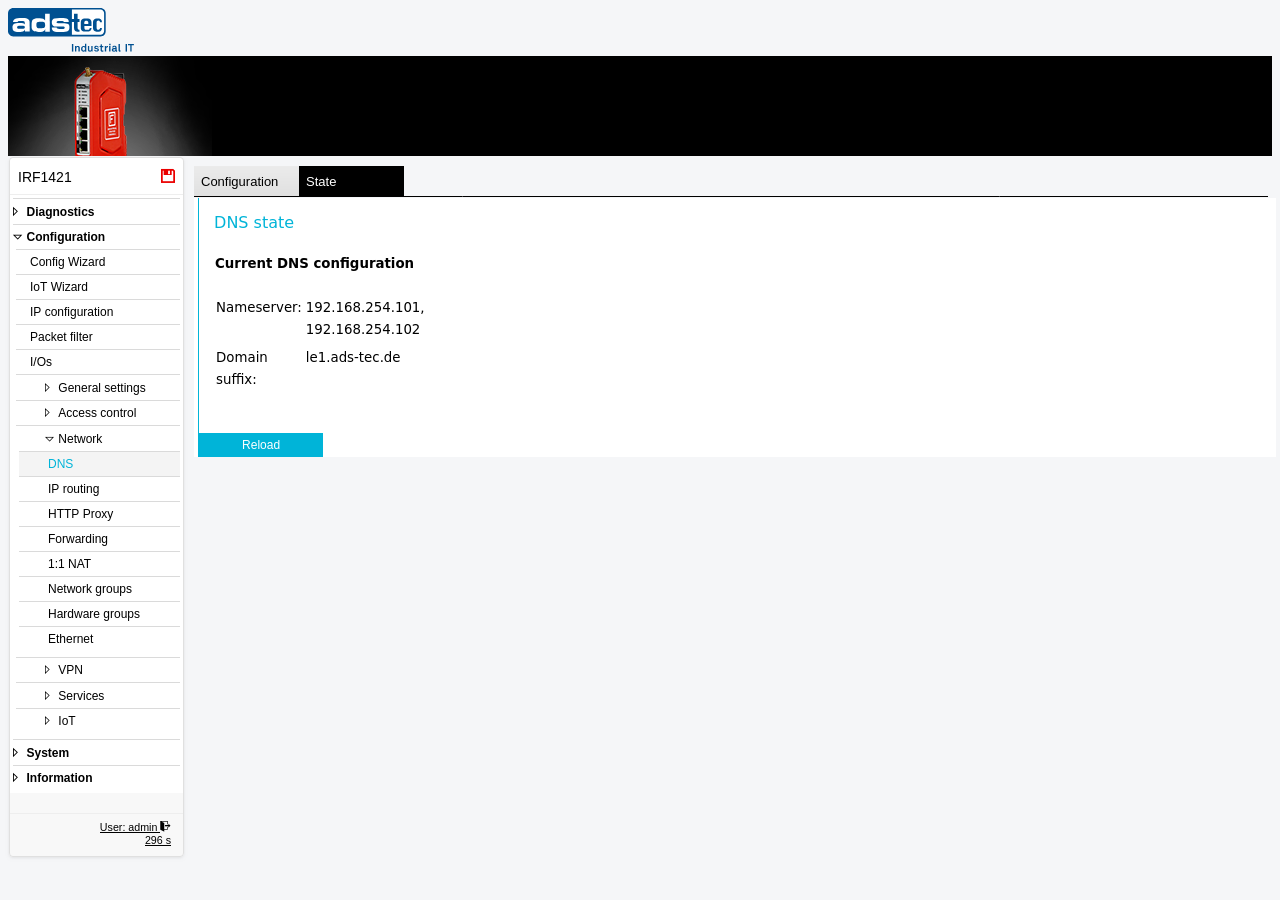
Current DNS configuration
- Nameserver
- Lists the IP addresses of the DNS servers currently in use by the device. These are the upstream nameservers to which the device sends DNS queries for its own name resolution and, if the DNS proxy is enabled, for forwarding queries from LAN clients. The addresses shown here correspond to the DNS server settings on the DNS configuration tab. If the device obtains its WAN address via DHCP, the nameservers provided by the DHCP server may also appear here.
- Domain suffix
- Shows the DNS domain search suffix currently configured on the device. This suffix is appended to unqualified hostnames during name resolution and is distributed to DHCP clients when the DHCP server is active. The value corresponds to the domain name setting on the DNS configuration tab.
Click Reload to refresh the displayed status information.
Note
If the displayed nameservers or domain suffix do not match the values configured on the DNS page, verify that the settings have been applied by clicking Apply settings on the configuration tab. In IP router mode with a WAN interface configured for DHCP, the DNS servers assigned by the upstream DHCP server may override or supplement the manually configured values.