IEC 61162-460 Gateway — State
Navigation: Configuration > Services > IEC 61162-460 > State
The State tab shows the live status of the IEC 61162-460 gateway service on the IRF3000 — the daemon status, the link utilization of the 460 network interface, the syslog broadcast activity required by IEC 61162-460, and the discovered neighbours and active connections. The service itself is enabled and configured on the IEC 61162-460 configuration tab.
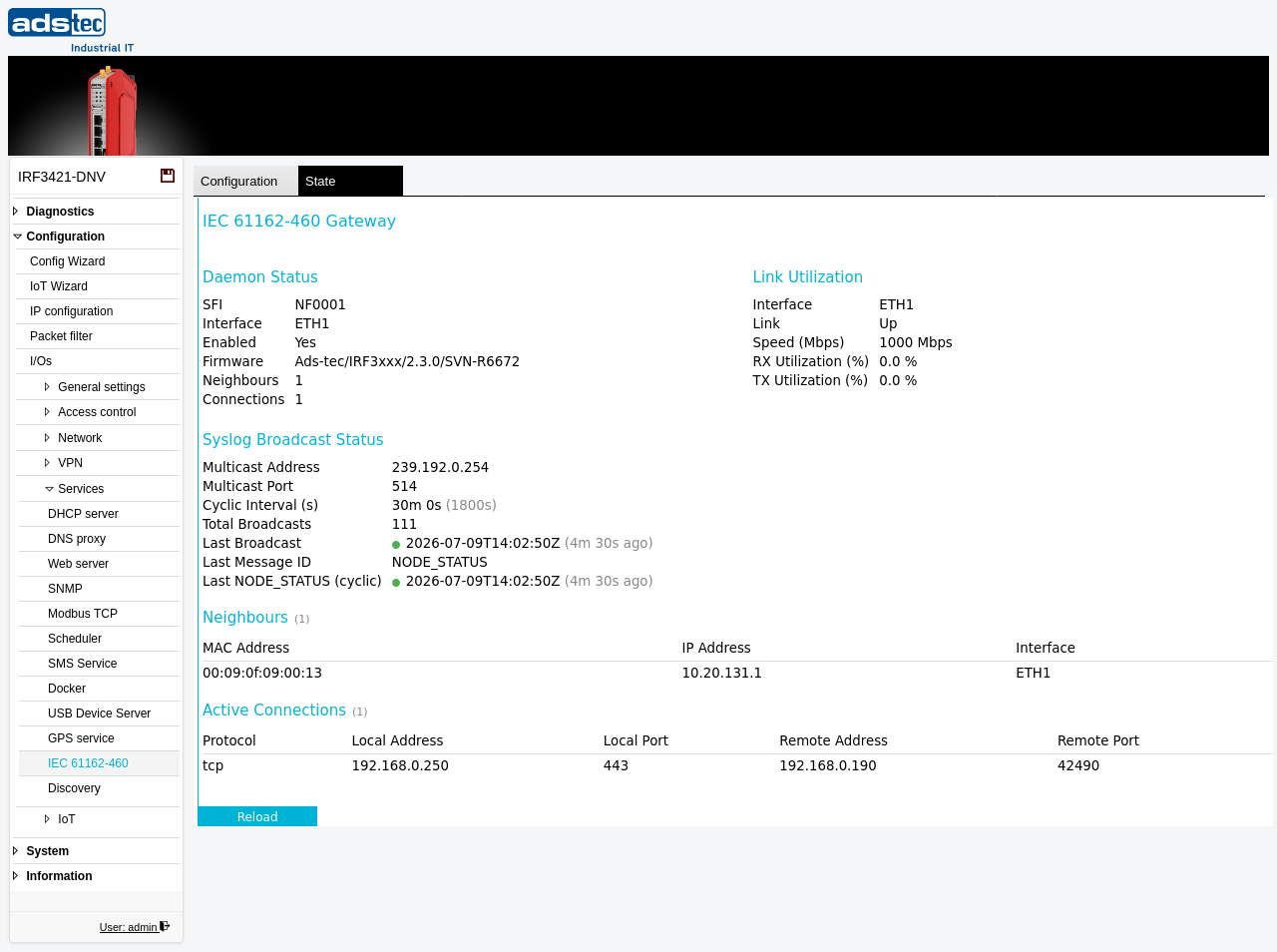
Daemon Status
- SFI
- The configured System Function Identifier (e.g. NF0001).
- Interface
- The 460 network interface the gateway is bound to.
- Enabled
- Whether the gateway service is currently running.
- Firmware
- The firmware identification of the IEC 61162-460 gateway.
- Neighbours
- The number of other IEC 61162-460 nodes currently discovered on the 460 network.
- Connections
- The number of active connections to the gateway.
Link Utilization
Reports the state and load of the 460 network interface: the Interface name, the Link state (Up / Down), the negotiated Speed (Mbps), and the current RX Utilization (%) and TX Utilization (%).
Syslog Broadcast Status
Reports the cyclic syslog multicast broadcasts the gateway sends according to IEC 61162-460:
- Multicast Address / Multicast Port
- The IPv4 multicast group and UDP port used for the 460 syslog broadcasts (e.g. 239.192.0.254 : 514).
- Cyclic Interval (s)
- The interval at which cyclic status messages are broadcast.
- Total Broadcasts
- The number of broadcast messages sent since the service started.
- Last Broadcast
- The timestamp of the most recent broadcast.
- Last Message ID
- The identifier of the most recent broadcast message (e.g. NODE_STATUS).
- Last NODE_STATUS (cyclic)
- The timestamp of the most recent cyclic NODE_STATUS message.
Neighbours
A table of the IEC 61162-460 nodes discovered on the 460 network, each with its MAC Address, IP Address, and the Interface on which it was seen.
Active Connections
A table of the currently active connections to the gateway, each with the Protocol, Local Address, Local Port, Remote Address, and Remote Port.
Click Reload to refresh the status.
Note
This is a read-only status view. To enable or configure the gateway service, switch to the IEC 61162-460 configuration tab.