Private registry
Navigation: Configuration > Services > Docker > Private registry
The Private registry tab configures access to private Docker registries that require TLS authentication. Use this tab to add one or more private registries from which the IRF1000 can pull container images. Each registry entry specifies the server address and the certificates required for secure communication. For general Docker settings, activation, and security configuration, see the Docker configuration tab.
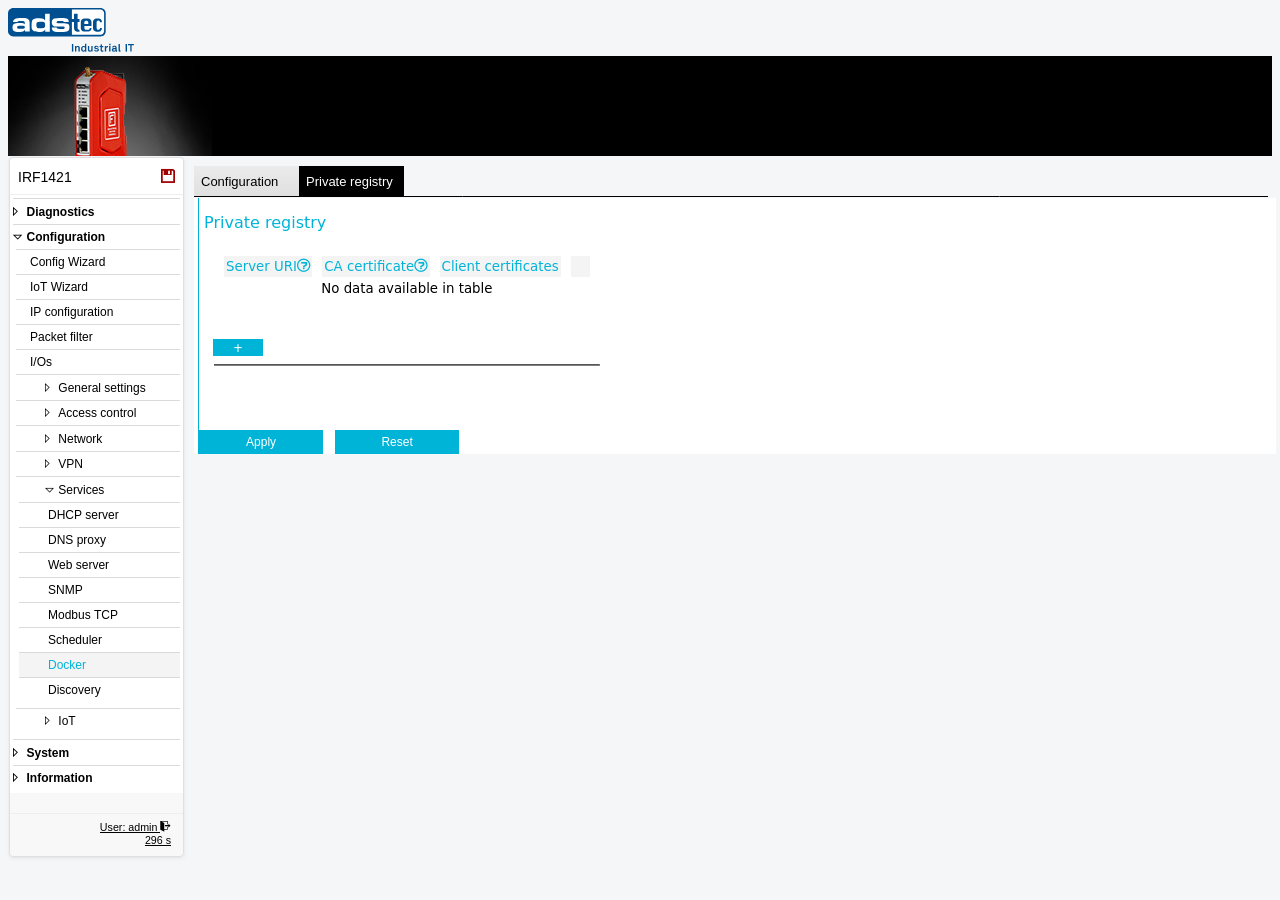
Settings
The registry table lists all configured private registries. Each row represents one registry. Use the + button to add a new registry entry.
- Server URI
- The address of the private Docker registry server. Enter the URI in the format
hostname:port, for examplewww.ads-tec.de:8080. The port is optional and only required if the registry does not use the default HTTPS port. - CA certificate
- The certificate from the Certificate Authority that signed the registry server's TLS certificate. The Docker daemon uses this CA certificate to verify the identity of the private registry during the TLS handshake. Certificates are managed on the Certificates page.
- Client certificates
- Enables client certificate authentication for this registry. When activated, the device presents a client certificate to the private registry during the TLS handshake, allowing the registry to verify the identity of the device. Use this option when the private registry requires mutual TLS (mTLS) authentication.
ATTENTION
Ensure that the CA certificate selected for each registry matches the Certificate Authority that issued the registry server's TLS certificate. If the CA certificate does not match, the Docker daemon will be unable to establish a secure connection and image pull operations will fail.
Security
Use private registries with TLS authentication to ensure that container images are sourced exclusively from trusted, controlled repositories. If your security policy requires that no images are pulled from public registries, disable the hub.docker.com CA option on the Docker configuration tab in addition to configuring your private registries here. Enable client certificate authentication (mTLS) when the registry requires verification of the device identity, providing an additional layer of access control.