Save
Navigation: System > Save
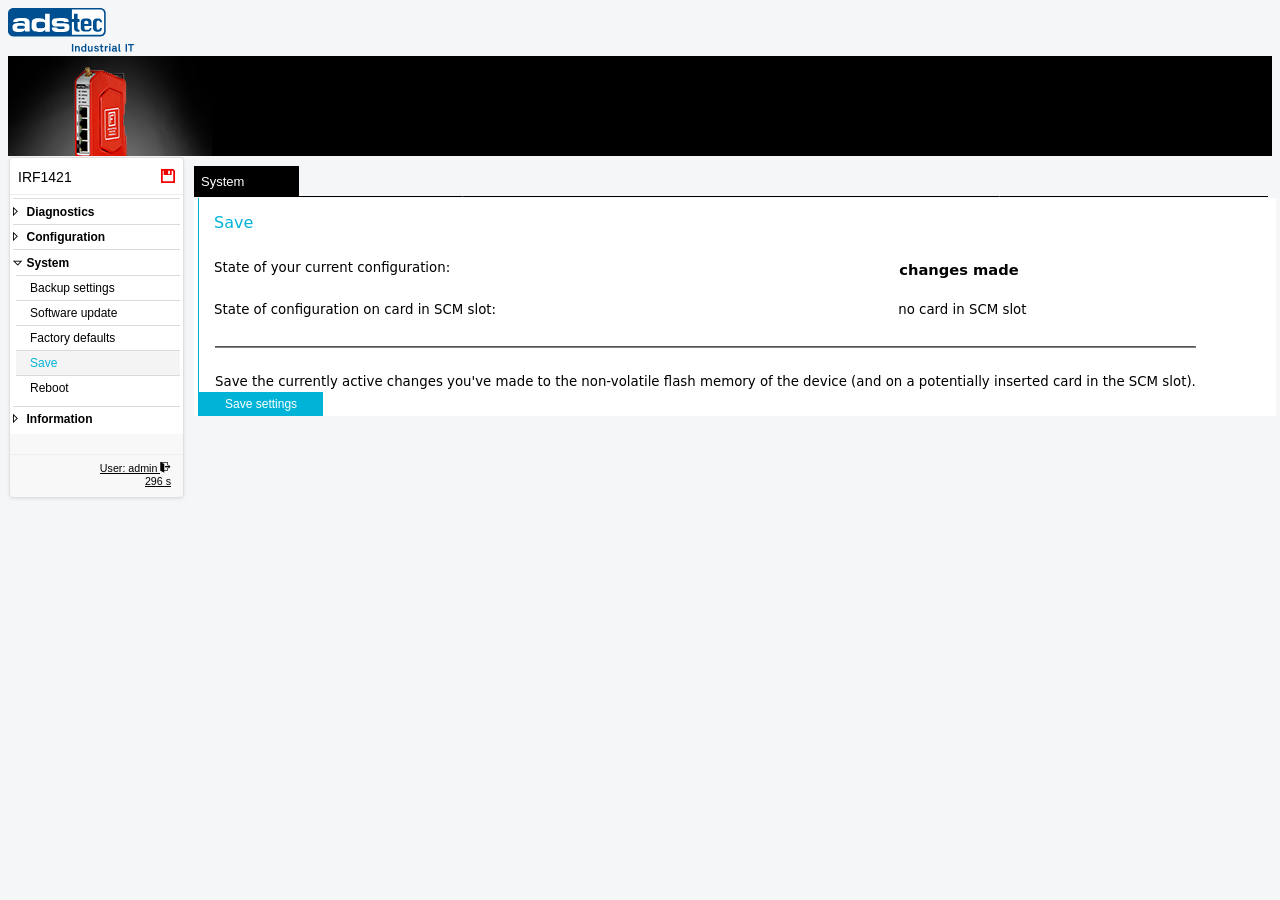
This page writes the current device configuration to the permanent flash memory of the IRF1000. Configuration changes made through the web interface are initially held in volatile memory only. If the device loses power or is rebooted before saving, all unsaved changes are lost and the device reverts to the last saved configuration. Use this page to persist all pending changes so they survive a power cycle or Reboot.
ATTENTION
Configuration changes applied via the web interface are not automatically written to permanent storage. If the device is powered off or rebooted before saving, all changes made since the last save are permanently lost. Always save the configuration on this page after completing your changes.
Status information
The page displays two status indicators:
-
State of your current configuration — Shows whether the running configuration contains unsaved changes. If it displays no changes made, the running configuration matches the saved configuration and no action is required. If unsaved changes exist, the status indicates that settings have been modified.
-
State of configuration on card in SCM slot — Shows whether an SCM (Secure Configuration Memory) card is inserted. When an SCM card is present, the configuration is saved to both the internal flash memory and the SCM card simultaneously. If no card is inserted, the status displays no card in SCM slot and the configuration is saved to the internal flash memory only.
Saving the configuration
To save all pending changes, click the Save settings button. The device writes the current running configuration to its internal flash memory. If an SCM card is inserted, the configuration is also written to the card. Once saved, the configuration persists across power cycles and reboots.
Recommendation
Save the configuration promptly after making changes. If you are making multiple related changes across different pages — for example, adjusting the IP configuration and updating Packet filter rules — you may complete all changes first and then save once. Before performing a Software update or Reboot, always verify that all configuration changes have been saved.
SCM card
The SCM (Secure Configuration Memory) card provides a portable backup of the device configuration. When an SCM card is inserted, each save operation writes the configuration to both the internal flash memory and the card. This allows the configuration to be transferred to a replacement device by moving the SCM card. For a comprehensive configuration backup that can be stored externally, use the Backup settings page.