Big LinX
Navigation: Diagnostics > Audit > Big LinX
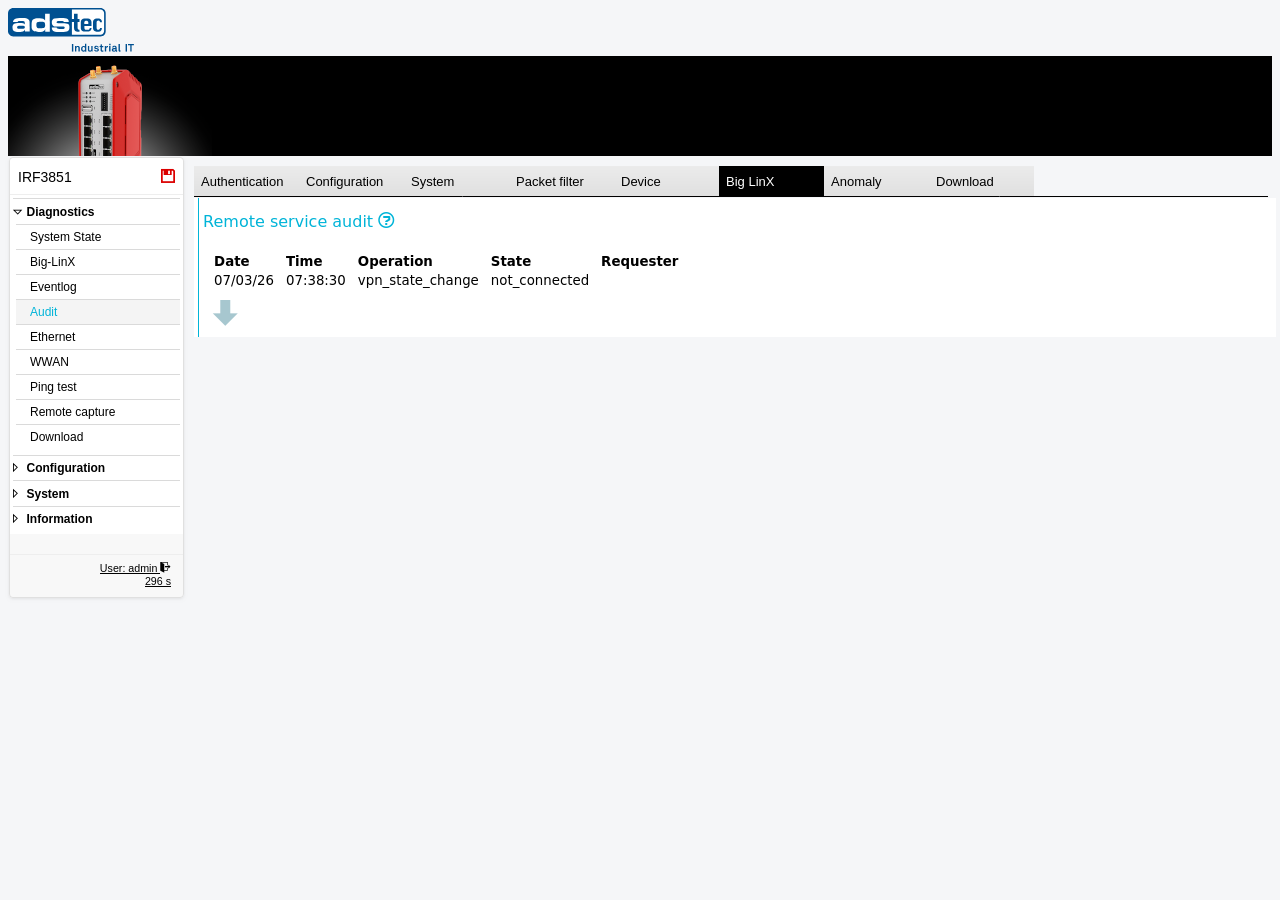
The Big LinX tab displays audit log entries related to the Big-LinX cloud VPN remote service. It records state changes of the VPN connection, such as connection establishment and disconnection events. Use this tab to monitor the operational history of the Big-LinX remote service connection and to investigate connectivity issues. For general information about the audit log and its other tabs, see the Audit parent page.
Columns
The Big LinX tab displays a table of remote service audit events with the following columns:
- Date
- The date on which the remote service event occurred.
- Time
- The time at which the remote service event occurred.
- Operation
- The type of remote service operation that was recorded, such as vpn_state_change when the Big-LinX VPN connection state changes.
- State
- The resulting state after the operation, such as not_connected or connected.
- Requester
- The entity that initiated the operation. This field identifies who or what triggered the state change, for example a remote user connecting through the Big-LinX cloud portal. This field may be empty for system-initiated events.
Note
The audit log is a shared 40 MB ring buffer. When the buffer is full, the oldest entries across all tabs are overwritten. For long-term retention, regularly download the audit log using the Download tab and archive it on an external system. Review the Eventlog page for general system event monitoring.