USB access
Navigation: Configuration > Access control > USB access
The USB access page controls whether the device accepts firmware updates and configuration imports from USB sticks inserted during boot. When enabled, a USB stick connected at power-on can trigger an automatic firmware update or restore a configuration backup without requiring web interface access. This provides a convenient recovery and provisioning mechanism for devices that are difficult to reach over the network, but it also introduces a physical attack vector that must be managed carefully. The USB access settings work alongside the User accounts and Web access pages as part of the device's overall access control strategy. Changes take effect immediately after clicking Apply settings, but must be saved persistently via the Save page to survive a reboot.
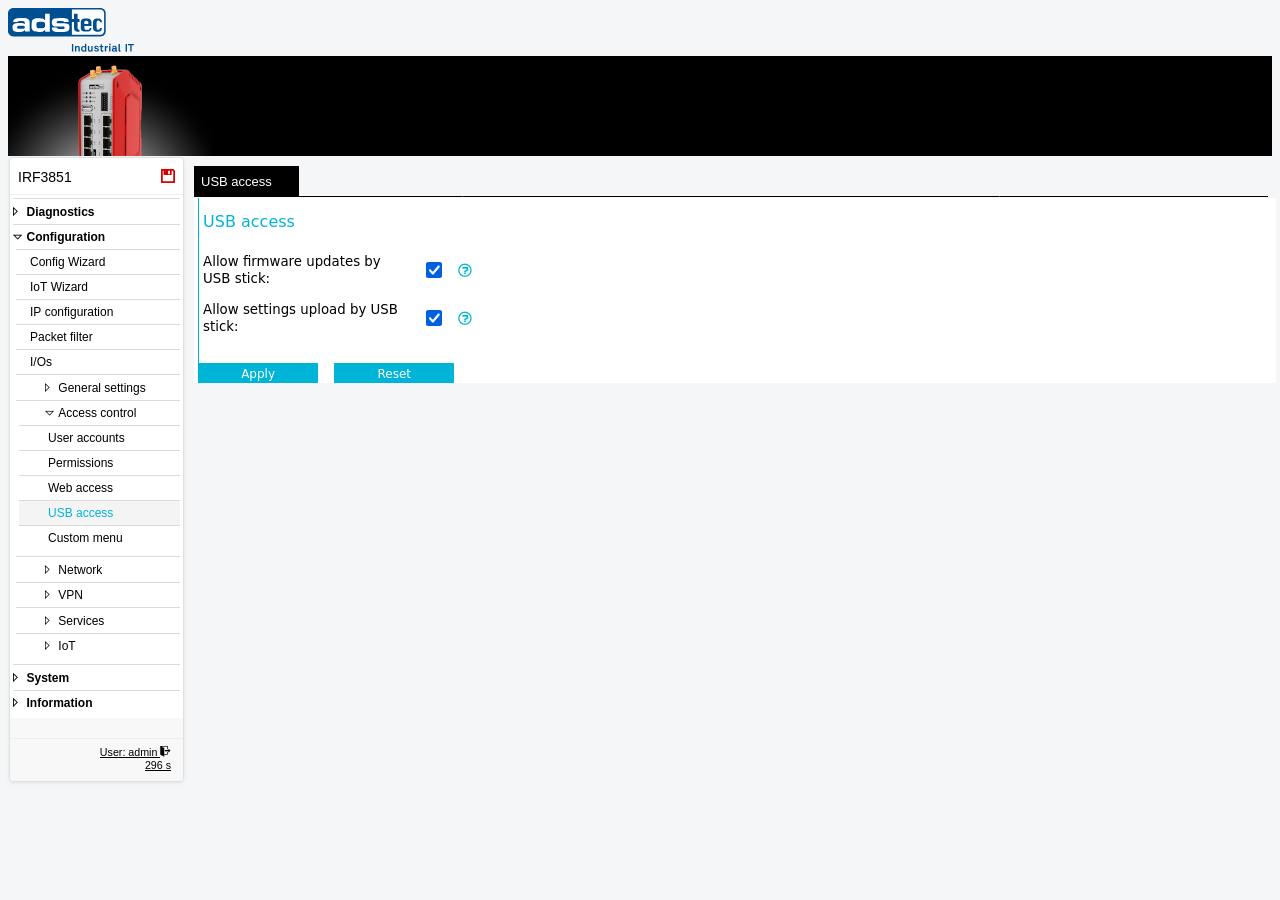
Settings
- Allow firmware updates by USB stick
- When enabled, the device accepts firmware update files from a USB stick that is inserted when the device starts. This allows performing a Software update without network access by placing the appropriate firmware image on the USB stick before powering on the device.
- Allow settings upload by USB stick
- When enabled, the device accepts the import of configuration settings from a USB stick that is inserted when the device starts. In this case, it is also permissible to activate the Factory defaults via control files on the USB stick. This provides a way to provision or restore a device configuration without network connectivity.
Security
In accordance with IEC 62443, disable both USB access options unless USB-based provisioning or recovery is explicitly required for your deployment scenario. An enabled USB port allows anyone with physical access to the device to replace the firmware or overwrite the configuration, including resetting to factory defaults. This represents a significant physical attack surface. Disable USB access on all devices in production environments where physical security cannot be fully guaranteed, and only enable it temporarily when performing maintenance tasks that require USB-based updates.