Hardware groups
Navigation: Configuration > Network > Hardware groups
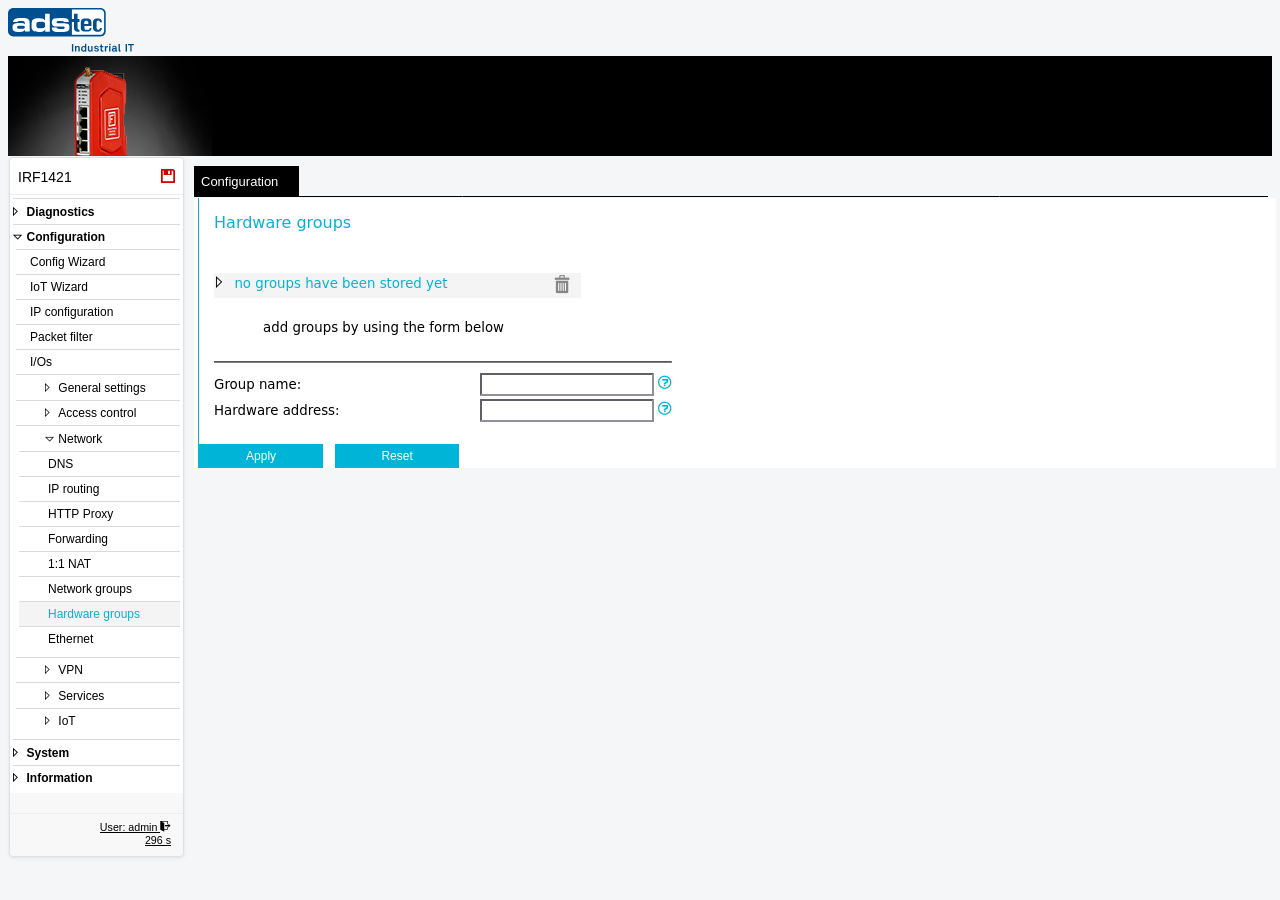
The Hardware groups page allows you to define named groups of MAC addresses (hardware addresses). These groups serve as reusable building blocks that can be referenced as source or destination criteria in Packet filter rules at Layer 2, simplifying rule management when the same set of physical device addresses appears in multiple rules. Instead of entering individual MAC addresses into each filter rule, you define a group once and reference it by name. This is particularly useful in environments where access control must be based on physical device identity rather than IP addresses, for example when operating the firewall in transparent bridge mode. Changes take effect after clicking Apply settings, but must be saved persistently via the Save page to survive a reboot.
Settings
Existing groups
The upper area of the page displays all currently defined hardware groups. Each group can be expanded to show its individual entries. Click the trash icon next to a group to delete all entries within that group. To remove a single entry from a group, expand the group and delete the individual entry.
Hint: Click on an existing group name in the list to copy it into the Group name input field below, making it easy to add further entries to that group.
Add entries
- Group name
- The name of the hardware group to which a new MAC address should be added. The name may contain letters and digits. If the specified group does not yet exist, it is created automatically when the entry is applied. To add an entry to an existing group, either type its name or click on the group name in the list above to fill this field.
- Hardware address
- The hardware address (also known as physical address or MAC address) to add to the group. Enter the address in the format
00:18:92:01:23:45. These groups can be referenced by other services, such as packet filter rules.
ATTENTION
Changes to groups that are already used in filter rules do not take effect immediately. Filter rules that reference a recently modified group are not updated until Apply settings is triggered (or Save settings respectively). Always apply settings after modifying group membership to ensure that the updated group is active in all referencing filter rules.
Security
Use hardware groups to enforce MAC-based access policies in Layer 2 packet filter rules. By centralizing MAC address definitions in groups, you reduce the risk of configuration errors that could leave unintended access paths open. Review group membership regularly and remove obsolete entries to maintain a minimal attack surface in accordance with IEC 62443 network segmentation requirements. Note that MAC addresses can be spoofed, so hardware groups should complement -- not replace -- IP-based and application-level access controls.