Network groups
Navigation: Configuration > Network > Network groups
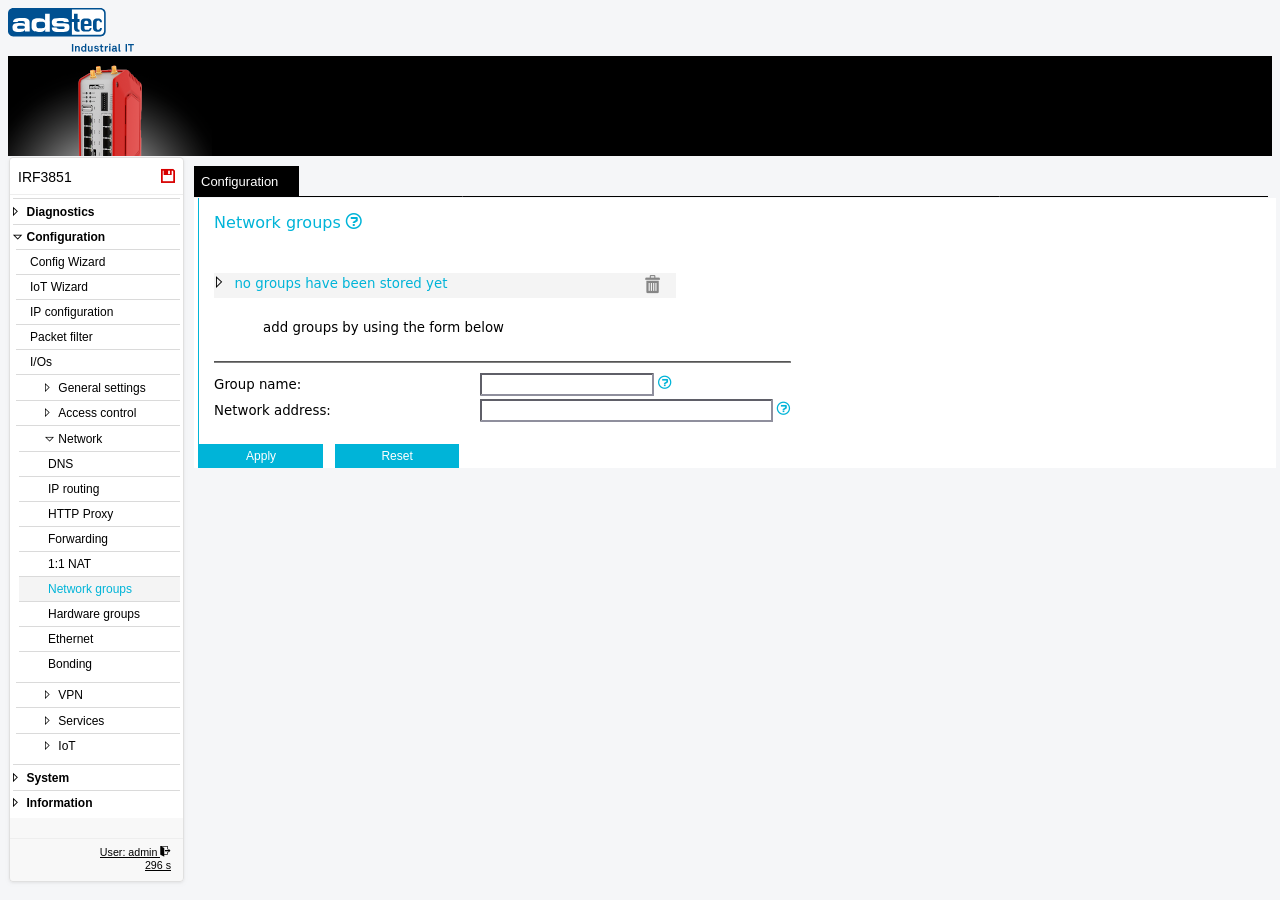
The Network groups page allows you to define named groups of IP addresses, IP subnets, and DNS host or domain names. These groups serve as reusable building blocks that can be referenced as source or destination criteria in Packet filter rules, simplifying rule management when the same set of addresses appears in multiple rules. Instead of duplicating individual addresses across many filter rules, you define a group once and reference it by name. Each group can contain multiple entries, making it straightforward to maintain address lists as network requirements change. For example, a group named "TrustedServers" could contain the subnets and hostnames of all permitted update servers, and this single group name can then be used in any packet filter rule set. Changes take effect after clicking Apply settings, but must be saved persistently via the Save page to survive a reboot.
Settings
Existing groups
The upper area of the page displays all currently defined network groups. Each group can be expanded to show its individual entries. Click the trash icon next to a group to delete all entries within that group. To remove a single entry from a group, expand the group and delete the individual entry.
Hint: Click on an existing group name in the list to copy it into the Group name input field below, making it easy to add further entries to that group.
Add entries
- Group name
- The name of the network group to which a new entry should be added. The name may contain letters and digits. If the specified group does not yet exist, it is created automatically when the entry is applied. To add an entry to an existing group, either type its name or click on the group name in the list above to fill this field.
- Network address
-
The IP network, host address, or DNS name to add to the group. Enter a value in one of the following formats:
- IP subnet in CIDR notation -- for example,
192.168.0.0/24to include an entire subnet. - Single IP address -- for example,
192.168.0.10/32to include a single host. - DNS hostname or domain name -- for example,
update.example.comor.example.com(with leading dot for an entire domain). DNS-based entries are resolved by the Layer 3 packet filter only.
Each group can contain many entries. Add one entry at a time by filling in both fields and clicking Apply settings.
- IP subnet in CIDR notation -- for example,
ATTENTION
The Layer 2 packet filter does not support DNS host and domain name entries in network groups. Any DNS-based entries are silently discarded when evaluated by Layer 2 filter rules, without generating an error message. If you use network groups in Layer 2 filter rules, ensure that all entries use IP address or subnet notation only.
Security
Use network groups to enforce consistent address-based access policies across all packet filter rule sets. By centralizing address definitions in groups, you reduce the risk of configuration errors that could leave unintended access paths open. Review group membership regularly and remove obsolete entries to maintain a minimal attack surface in accordance with IEC 62443 network segmentation requirements.