Reboot
Navigation: System > Reboot
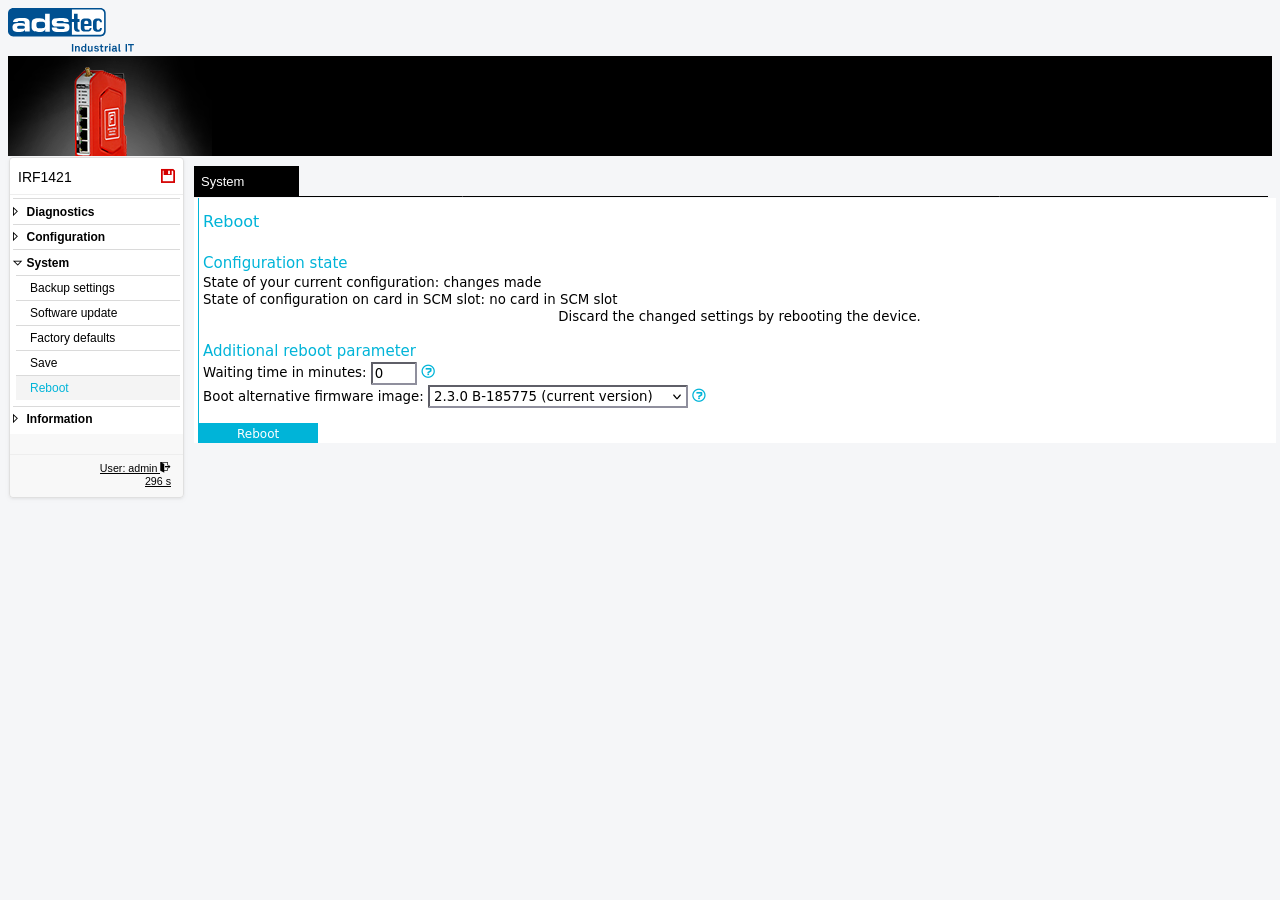
This page restarts the IRF1000. A reboot terminates all active network connections, VPN tunnels, and running services. The device is unreachable during the restart process, which typically takes one to two minutes. Any configuration changes that have not been saved persistently via the Save page are discarded during the reboot.
ATTENTION
Rebooting the device causes a temporary service interruption. All active network connections, VPN tunnels, firewall sessions, and running Docker containers are terminated. Connected machines and systems on the LAN side lose their connection to external networks for the duration of the restart. Ensure that a planned reboot does not disrupt critical production processes. Save all configuration changes persistently via the Save page before rebooting, otherwise unsaved changes are lost.
Configuration state
The top section of the page displays the current state of the device configuration:
- State of your current configuration — Indicates whether unsaved configuration changes exist. If changes have been made but not yet saved to flash memory, this is shown here. Use the Save page to persist changes before rebooting.
- State of configuration on card in SCM slot — Shows the status of the configuration stored on an SCM (Secure Configuration Memory) card, if one is inserted.
Additional reboot parameter
| Setting | Description |
|---|---|
| Waiting time in minutes | Sets a delayed reboot timer with the specified number of minutes to wait before the device restarts. The timer can be aborted on this page before it expires. Use this feature to test new configurations on a remote device when you are unsure whether the changes may lock you out of the web interface. When the timer expires, the reboot discards all unsaved changes and the device should come back online with the previously saved configuration. Enter 0 to reboot immediately. |
| Boot alternative firmware image | Selects which firmware image to boot into. The device stores a current firmware image and a fallback image. Changing this setting causes the device to boot into the selected fallback firmware image after the reboot. This is useful for reverting to a previous firmware version if the current version causes issues. |
Performing a reboot
To restart the device, configure the desired reboot parameters and click the Reboot button. The device shuts down all services and restarts. During the reboot, the web interface is not accessible. Once the restart is complete, the web interface becomes available again at the configured IP address.
Recommendation
Before rebooting, verify that all configuration changes have been saved persistently via the Save page. Use the Configuration state section at the top of this page to check whether unsaved changes exist. For remote devices, consider using the Waiting time in minutes field to set a delayed reboot — this provides a safety net that automatically restores the previous configuration if a change makes the device unreachable.