USB Device Server
Navigation: Configuration > Services > USB Device Server
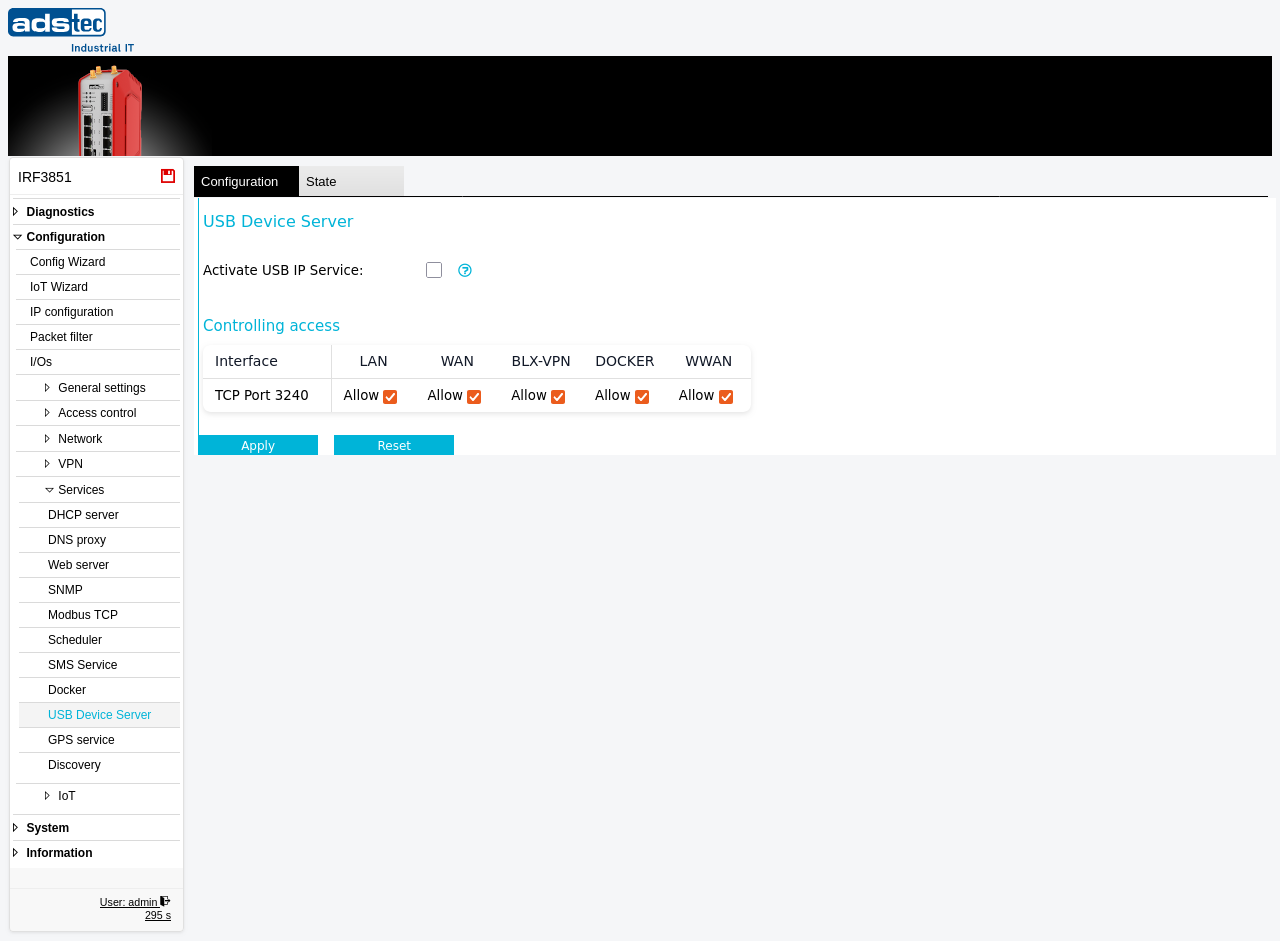
The USB Device Server page configures the USB/IP service on the IRF3000. When activated, this service enables remote access to USB devices that are physically connected to the device's USB port over the network using the USB/IP protocol (TCP port 3240). Remote clients running a USB/IP driver can attach these USB devices as if they were locally connected, which is useful for scenarios such as accessing USB dongles, serial adapters, or storage devices from a remote workstation. Note that while the USB/IP service is running, the USB port is exclusively reserved for remote access — other USB functions such as firmware updates, configuration imports, and log storage via USB are no longer available. The Controlling access table determines on which network interfaces the USB/IP service accepts incoming connections. The current status of attached USB devices can be monitored on the State tab. Changes take effect after clicking Apply, but must be saved persistently via the Save page to survive a reboot.
Settings
USB Device Server
- Activate USB IP Service
- Enables or disables the USB/IP service. When enabled, USB devices connected to the device's USB port are shared over the network via the USB/IP protocol on TCP port 3240. Remote clients with a compatible USB/IP driver can attach and use these devices. When disabled, the USB port operates normally and can be used for firmware updates, configuration file transfers, and log storage.
Controlling access
The access table controls on which network interfaces the USB/IP service (TCP port 3240) accepts incoming connections. Each interface can be set to Allow or Block independently.
LAN: Allows USB/IP access from the local network.
WAN: Allows USB/IP access from the wide area network.
BLX-VPN: Allows USB/IP access through a Big-LinX VPN tunnel.
DOCKER: Allows USB/IP access from Docker containers running on the device.
WWAN: Allows USB/IP access from the wireless WAN (cellular) interface.
ATTENTION
When the USB/IP service is activated, the other available USB functions — such as firmware updates, configuration updates, and storing logs via USB — are no longer available. Deactivate the USB/IP service before performing any USB-based maintenance operations.
Security
Only enable the USB/IP service if remote USB device access is explicitly required. The USB/IP protocol transmits USB traffic over the network without encryption, so restrict access to trusted network segments only. Block access on the WAN and WWAN interfaces unless absolutely necessary, and use VPN tunnels for remote access instead. Use the Controlling access table to limit the service to the minimum required interfaces, and apply additional restrictions via the Packet filter if needed. Disable the service when it is no longer in use to reduce the attack surface.