Permissions
Navigation: Configuration > Access control > Permissions
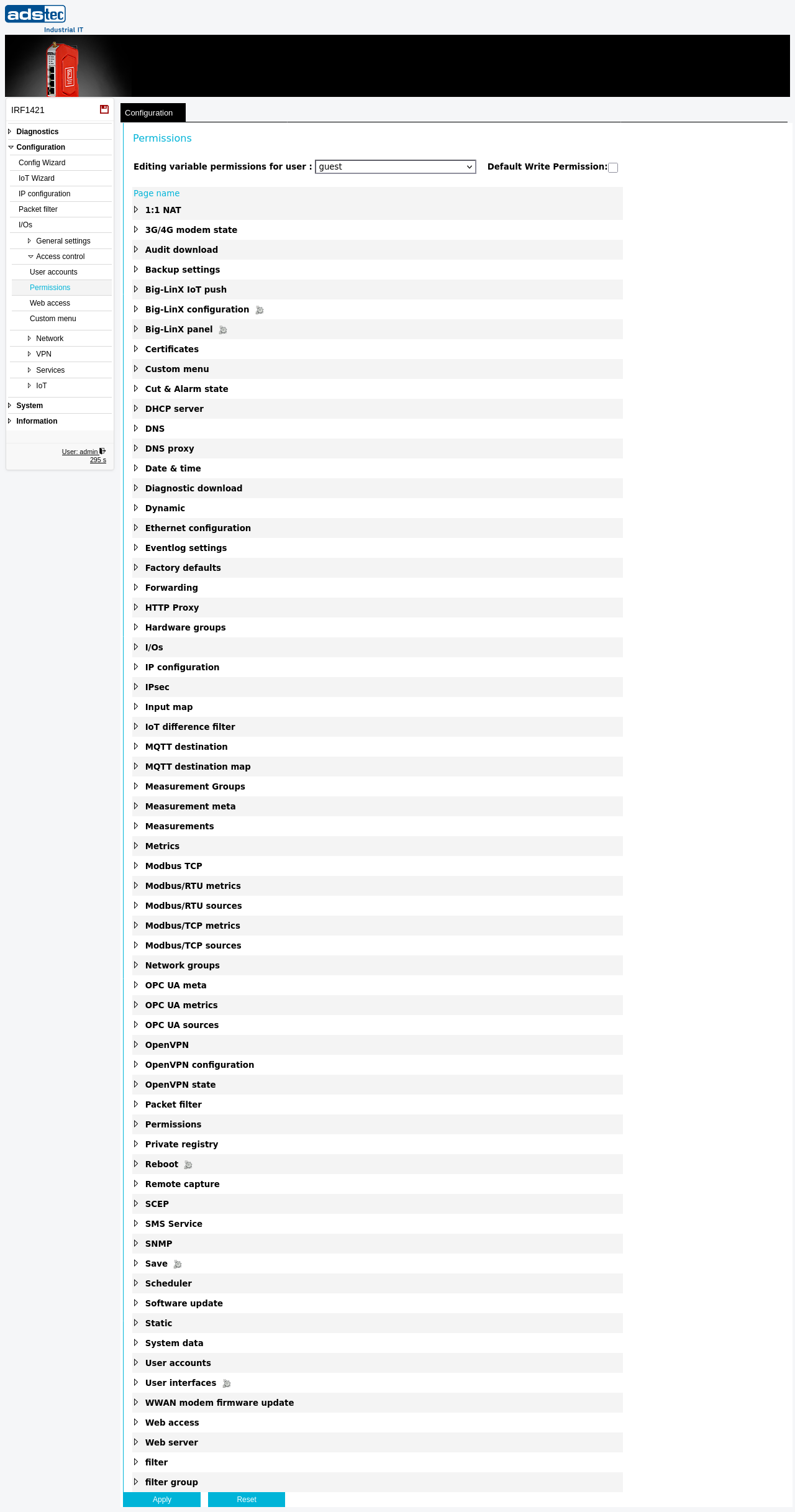
The Permissions page controls which configuration areas each user account is allowed to modify. For every user defined on the User accounts page, individual write permissions can be granted or denied for each functional area of the device — such as IP configuration, packet filter rules, VPN settings, or system maintenance functions. This provides fine-grained, role-based access control so that different users can be restricted to only those areas relevant to their responsibilities.
Prerequisites
- User accounts must be created on the User accounts page before permissions can be assigned.
- Only the administrator (admin) account can modify permissions. Standard users cannot change their own or other users' permissions.
Settings
- User
- Selects the user account for which permissions are being configured. Use the dropdown to switch between user accounts. The permission checkboxes below update to reflect the current settings for the selected user.
- Default Write Permission
- When enabled, the selected user has write access to all configuration areas by default. Individual areas can then be excluded by unchecking their respective checkboxes. When disabled, the user has no write access by default, and each area must be explicitly enabled.
Variable permissions
The page displays a comprehensive list of all configurable areas of the device. Each area has a checkbox that controls whether the selected user is permitted to modify settings in that area. The areas correspond to the configuration pages accessible through the web interface, including but not limited to:
- Network configuration: IP configuration, Ethernet, DNS, DNS proxy, IP routing, HTTP Proxy, DHCP server
- Firewall and NAT: Packet filter, Forwarding, 1:1 NAT, Network groups, Hardware groups
- VPN: Big-LinX, OpenVPN, IPsec
- Services: SNMP, Modbus TCP, Docker, Scheduler, Web server, Discovery
- IoT: Metrics, IoT difference filter, Modbus/RTU and Modbus/TCP sources and metrics, OPC UA metrics, OPC UA sources, MQTT destination, Big-LinX IoT push
- Access control: User accounts, Web access, Certificates, SCEP
- System: System data, Date & time, Backup settings, Software update, Factory defaults, Save, Reboot
A checked checkbox indicates that the selected user has write access to that area. An unchecked checkbox means the user can only view the corresponding page but cannot modify any settings.
After adjusting permissions, click Apply setup to activate the changes. To make the changes persistent across reboots, save the configuration via the Save page.
Security
Follow the principle of least privilege: grant each user account only the minimum permissions required for their role. Avoid granting write access to security-critical areas such as User accounts, Certificates, Factory defaults, or Software update unless the user specifically requires it. Regularly review permission assignments, especially after personnel changes or when onboarding new operators. Restrict write access to the Packet filter and VPN configuration areas to trained network administrators only.
ATTENTION
Removing a user's write access to the Permissions page itself does not prevent the administrator from reconfiguring their permissions later. However, exercise caution when modifying permissions for the admin account — misconfiguration may require a factory reset to regain full access to the device.