Eventlog
Navigation: Diagnostics > Eventlog
The Eventlog page displays the system event log (syslog) of the device in a scrollable text view. It provides a chronological record of all significant system events, including authentication activities, configuration changes, network state transitions, VPN connection events, packet filter actions, and service notifications. Use this page to investigate operational issues, trace the sequence of events leading to a problem, and verify that configuration changes have been applied correctly.
The event log is displayed in standard syslog format. Each line represents a single event and is structured as follows: timestamp, device identifier, originating service or daemon, and the event message text. The most recent entries appear at the bottom of the log.
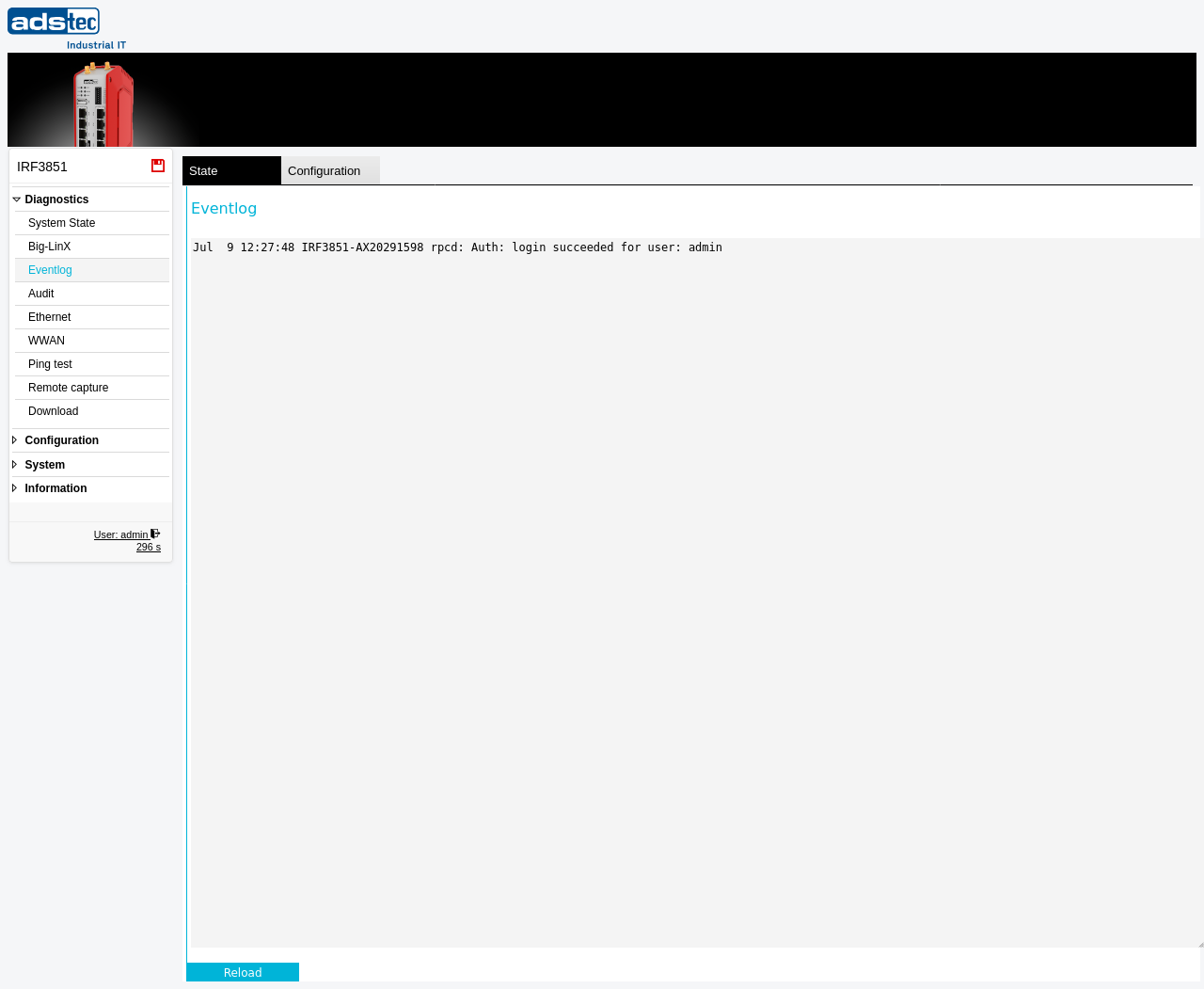
Log entry format
Each log entry follows the syslog message format:
- Timestamp
- The date and time at which the event occurred, displayed in the format
Mon DD HH:MM:SS(e.g.,Apr 7 07:49:00). - Device identifier
- The system name and serial number of the device that generated the entry. This identifier helps distinguish log entries when consolidating logs from multiple devices.
- Service
- The name of the originating service, daemon, or subsystem. Common sources include
cmd(command execution and authentication),sysmond(system monitoring),openvpn(VPN connections),iptables(packet filter), anddhcpd(DHCP server). - Message
- The event description text. The format and content vary depending on the originating service. Authentication events include the username and result, configuration changes identify the modified setting, and network events describe state transitions.
Typical event types
The event log captures a wide range of system activities, including but not limited to:
- Authentication events -- Successful and failed login attempts, including the username, access method, and source IP address.
- Configuration changes -- Settings modifications applied through the web interface or API, identifying the changed parameter and the user who made the change.
- Network events -- Interface state changes, DHCP lease assignments, DNS resolutions, and routing updates.
- VPN events -- OpenVPN and IPsec tunnel establishment, disconnection, and error conditions.
- Packet filter events -- Logged firewall rule matches, showing source and destination addresses, ports, and the action taken (accept or drop). These entries appear only for packet filter rules that have logging enabled.
- System events -- Service start and stop notifications, scheduled task executions, and system resource alerts.
Using the event log
The event log provides a read-only, chronological view of system activity. Click Reload to refresh the displayed log with the latest entries from the device.
Note
The event log has a limited buffer size. On systems with high event volumes, older entries may be overwritten by newer ones. For security-relevant events that require long-term retention, use the Audit page, which provides categorized and structured audit records. To preserve event log data for external analysis, download a diagnostic file from the Download page.
Note
Log entry timestamps reflect the device's internal system clock. If the system time has not been synchronized via NTP, timestamps may be inaccurate. Configure a reliable time source on the Date & time page to ensure consistent and accurate log timestamps.
Related pages
- System State -- displays the most recent log messages in the dashboard overview
- Audit -- structured, categorized audit records for security-relevant events
- Download -- download a complete diagnostic file including log data for technical support