CAN Bus — State
Navigation: Configuration > IoT > Sources > CAN Bus > State
The State tab shows the live status of the CAN 0 interface. The interface itself is configured on the CAN Bus configuration tab.
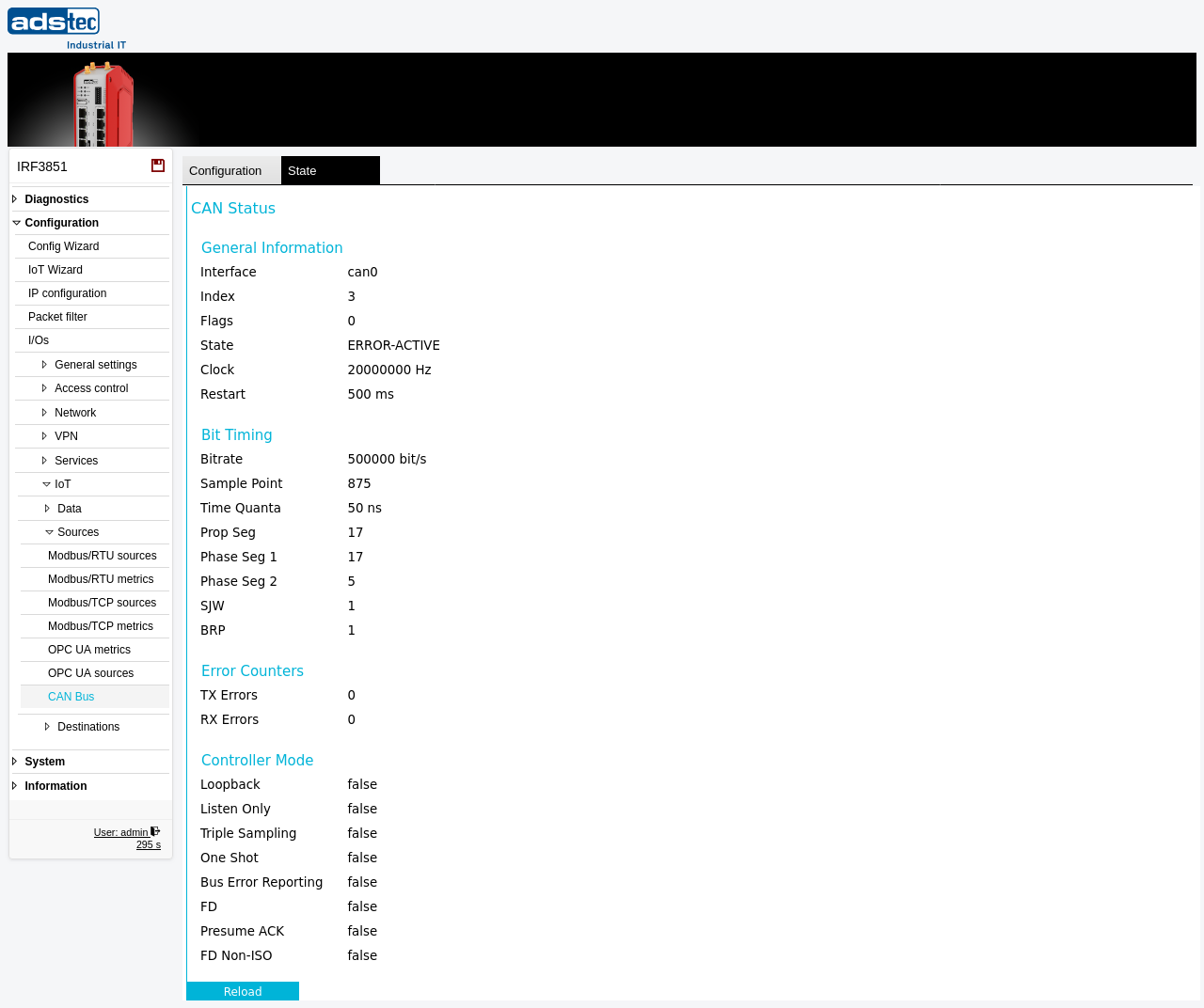
General Information
- Interface
- The CAN interface name (e.g. can0).
- Index
- The kernel interface index.
- Flags
- The current interface flags.
- State
- The CAN controller state — ERROR-ACTIVE (normal operation), ERROR-WARNING, ERROR-PASSIVE, or BUS-OFF as the error counters rise.
- Clock
- The CAN controller clock frequency in Hz.
- Restart
- The configured automatic-restart time after a bus-off condition.
Bit Timing
The bit-timing parameters derived from the configured bit rate:
- Bitrate — the effective bit rate in bit/s.
- Sample Point — the sample point within the bit period.
- Time Quanta — the duration of one time quantum.
- Prop Seg, Phase Seg 1, Phase Seg 2 — the propagation and phase-buffer segments.
- SJW — the (re)synchronization jump width.
- BRP — the bit-rate prescaler.
Error Counters
- TX Errors / RX Errors
- The current transmit and receive error counters of the CAN controller.
Controller Mode
The active CAN controller mode flags, each shown as true or false: Loopback, Listen Only, Triple Sampling, One Shot, Bus Error Reporting, FD, Presume ACK, and FD Non-ISO.
Click Reload to refresh the status.
Note
This is a read-only status view. To configure the CAN interface, switch to the CAN Bus configuration tab.