Update via a server
Navigation: System > Software update > Update via a server
The Update via a server tab updates the device with a firmware file downloaded from a remote HTTPS/HTTP/FTP/TFTP server. The currently installed firmware versions are shown at the top of the page; for the shared behaviour and the other update methods, see the Software update page.
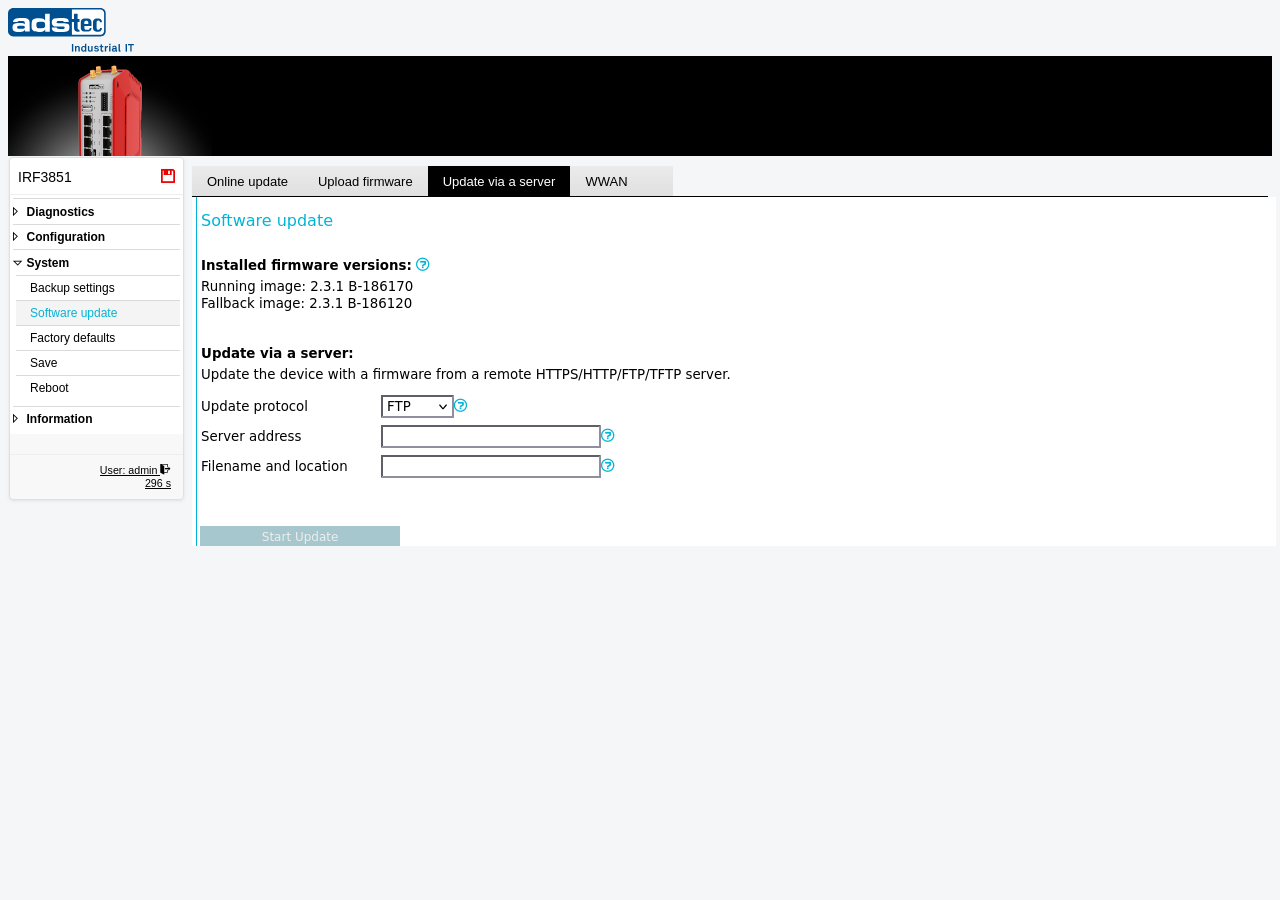
- Update protocol
- Protocol of the remote server that serves the firmware file. HTTPS validates the server certificate against the system CA bundle. FTP is only supported with the anonymous user. If an HTTP proxy is configured, HTTPS, HTTP, and FTP downloads are routed through the proxy; TFTP is UDP-based and cannot use a proxy.
- Server address
- The HTTPS/HTTP/FTP/TFTP server address. Valid values are hostnames and IP addresses, optionally combined with a port number, e.g. 192.168.0.1:8080 or ftp.fw-server.net.
- Filename and location
- The file name of the firmware file including its path on the remote server, e.g. updates/firmware-1.0.0.bin. Note: there must be no leading / for HTTP locations.
After entering the server details, click Start Update to download and install the firmware.
ATTENTION
Do not interrupt the firmware update process. Ensure a stable power supply and network connectivity during the update. Create a backup of the device configuration before updating — especially before a downgrade, which may reset the configuration.
Security
Firmware images are signed and encrypted, and the device verifies the signature and decrypts each image before installing it. Update integrity therefore does not depend on a secure transport: the transfer itself is unprotected (HTTP, FTP, TFTP, or browser upload), but a tampered or forged image is rejected. Two residual risks remain on an unprotected update path — a man-in-the-middle can suppress update discovery (hiding that a newer version is available) and can offer an older, still-validly-signed firmware, which the device does not reject (there is no downgrade/anti-rollback protection). Use a trusted network path, verify the offered version before installing, and be especially cautious with downgrades.